Guides
How to set up off-plan projects and units
The short answer
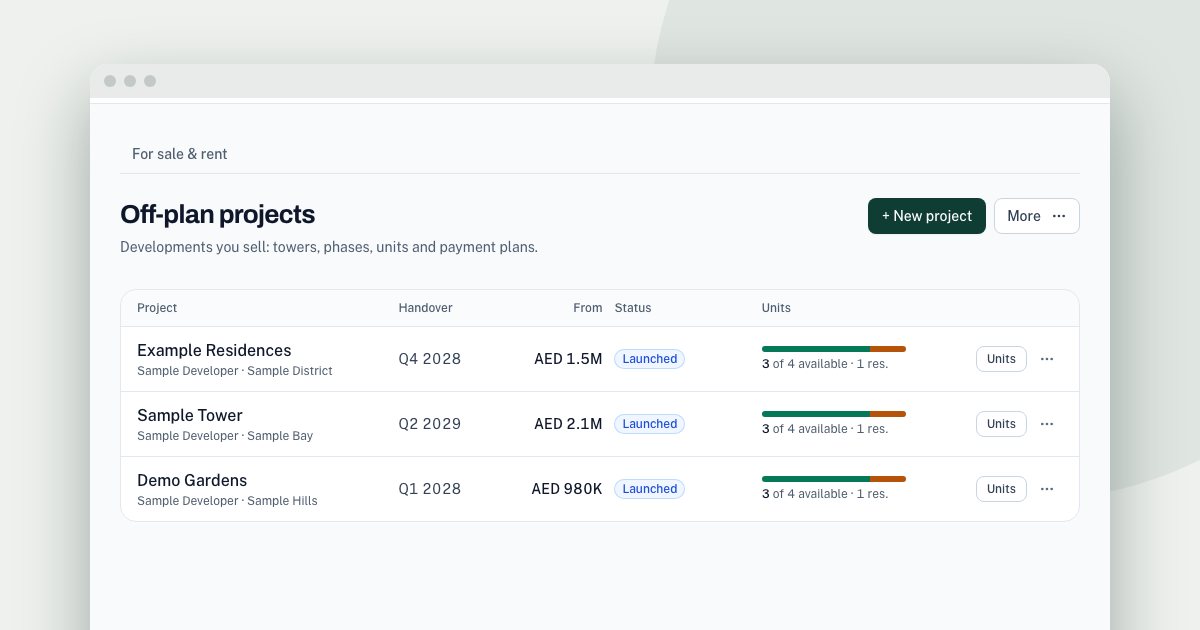
Switch on the off-plan line in Pipeline settings, and tabs for Off-plan projects, Off-plan units and Owners appear under Listings. Add a project, then import units with Import units (CSV). Only admins can import units. Compliance fields on a project are a record you fill in, not an approval.
On this page
Off-plan has its own records, so a project, its units and its payment plans are not squeezed into one listing.
Switch it on
- In the Tend menu, open More, then Pipeline.
- Open Pipeline settings, and under Business lines you operate, turn on the off-plan line.
Off-plan projects, Off-plan units and Owners then appear as tabs under Listings.
Add projects
Open Off-plan projects and add a project. Developers is under More. The menu on each project has Edit project, Payment plans and delete. Deleting a project also deletes its units.
Add units
- Open Off-plan units, then More, then Import units (CSV).
- Use Download template for the columns. Each row needs a project name that already exists and a
unit_no.
Only admins can import.
On a unit you can open the Payment plan calculator, reserve it, or use Mark sold.
Property owners
Owners holds owner details. Only admins and the agent who owns the record can see them.
For what a buyer's registration means, see the Oqood guide.
The steps again, in short
- Switch on off-plan. In Pipeline settings, under Business lines you operate, turn on the off-plan line.
- Add a project. Open Off-plan projects and add the project and its developer.
- Import units. Open Off-plan units, then More, then Import units (CSV).
- Add payment plans. Use Payment plans in the menu on the project.
See it on your own enquiries
Tend answers, qualifies and routes WhatsApp enquiries from your own listings, with your agents in control.
Related reading
- Guides1 min read
How to capture leads from your website
Send enquiries from your own website into Tend, and record marketing consent when you need it.
- Guides2 min read
How to change your plan and manage billing
See your usage, change plan, update payment details, or cancel.
- Guides2 min read
How to connect your email inbox to Tend
Bring a work mailbox into Tend's inbox, and choose how the AI handles lead emails. Available on request.